For creators and small businesses
Make the short video. Keep the version that wins.
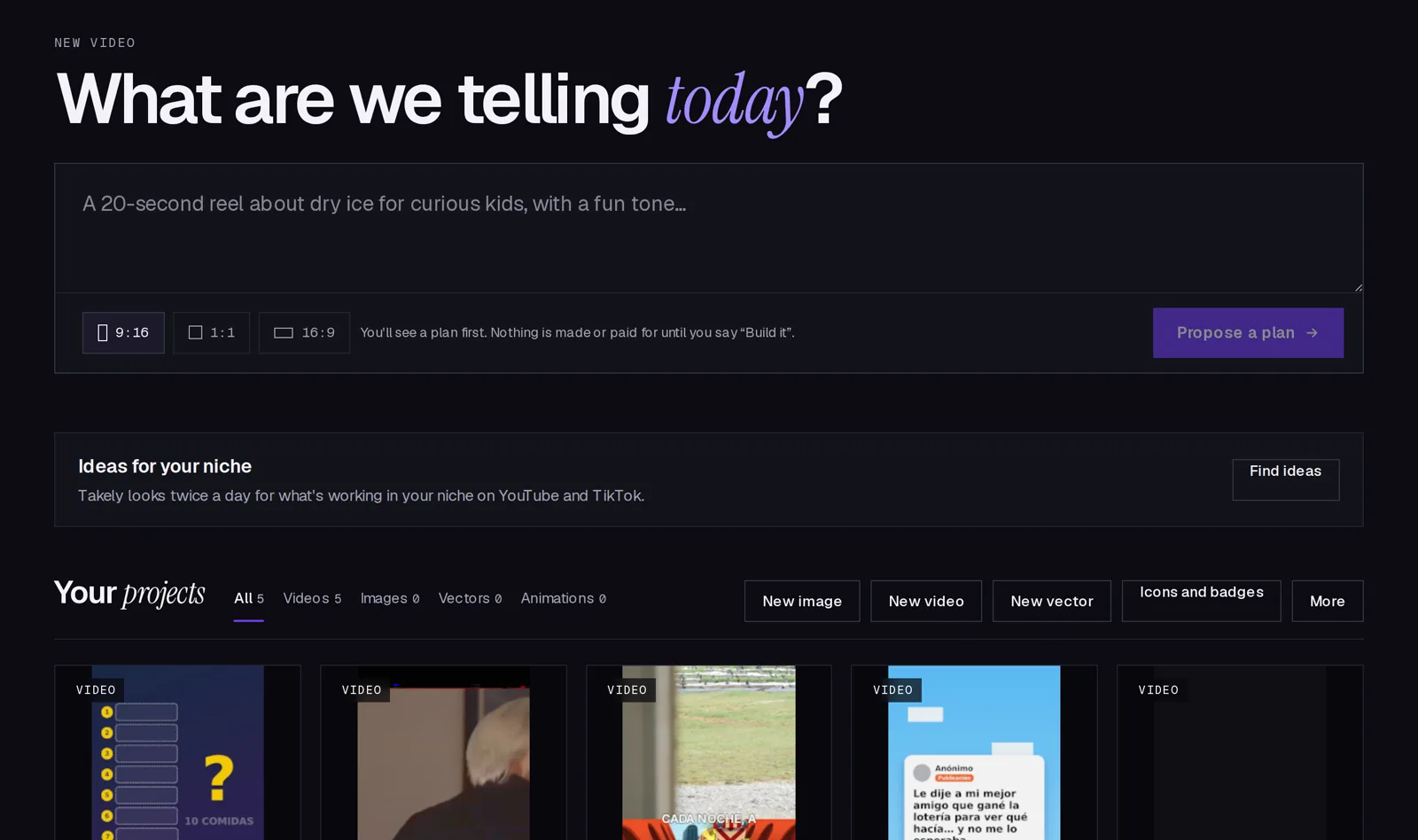
Describe a video in one sentence. Takely plans it, builds it with voice, captions and clips, and posts two versions so you learn which one people actually watch.
You see the plan first. Nothing is made or charged until you say Build it.
The problem
Posting one version is a guess
The first second decides most short videos. When you post a single cut, you never find out whether another hook, voice or caption would have done twice as well.
Making that second version by hand costs another afternoon, so nobody does it.
Takely makes the versions for you and lets the platforms tell you which one works.
How it works
From one sentence to a tested video
-
1
Describe it
Write what the video is about and pick 9:16, 1:1 or 16:9. Takely answers with a plan: the scenes, the voice, the clips and what each paid step costs.
-
2
Build it
Say Build it and the assistant makes the video, with captions timed to the voice. Ask for changes in the chat, or open the editor and fix it by hand.
-
3
Test it
Post version A and version B to TikTok, YouTube or X. Takely reads the results and shows you which hook kept people watching.
Start
Start from one sentence
Type the idea the way you would tell a friend. The plan arrives before anything is made, so you can change the tone, the length or the format first.
- Vertical, square or wide
- Voice and captions in sync
- Stock clips or AI clips, your choice
Plan
Plan a whole campaign at once
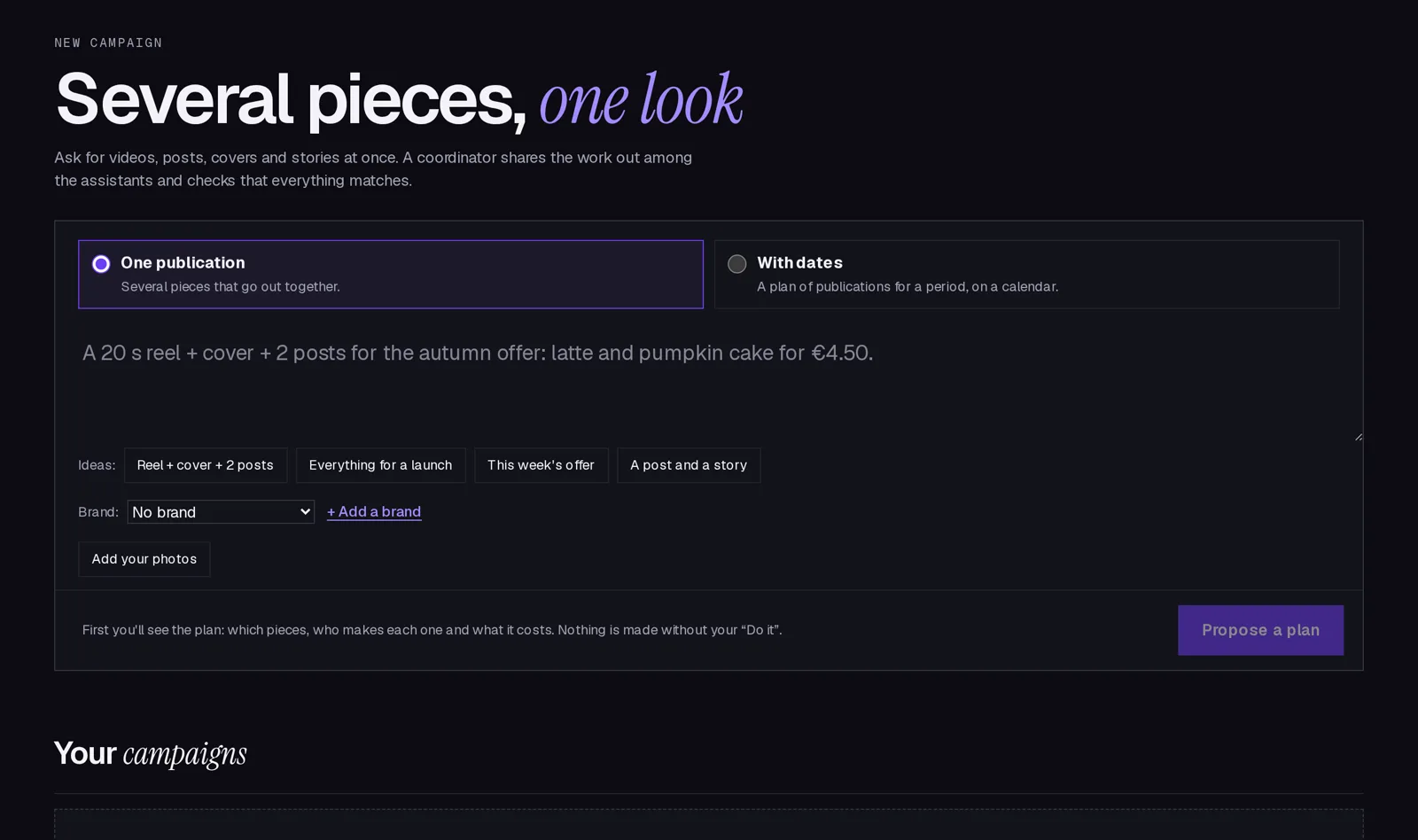
Ask for several pieces that go out together, or a calendar of posts for a period. A coordinator shares the work among the assistants and checks that everything matches.
- One headline and one look across pieces
- Your photos, logo and colours
- Nothing invented: no prices or dates you didn't give
Features
Everything a short video needs, in one place
-
An assistant that edits
Ask for a shorter intro or a calmer voice. Every change is saved as a version you can go back to.
-
A real editor when you want one
A timeline, captions from the transcript, an audio mixer and colour tools. Changes by hand are versions too.
-
Ideas from your niche
Twice a day Takely looks at what is working in your niche on YouTube and TikTok and suggests videos like it.
-
Campaigns with one look
Ask for a reel, a cover and two posts at once, or a calendar for the month. Every piece follows your brand kit.
-
A score before you post
A prediction model rates each video against thousands of measured ones and gives you a range, never a promise.
-
Tests built in
Version B goes out on the schedule each platform allows, and both results land side by side in one report.
Posts where your audience already is
- TikTok
- YouTube
- X
- Instagramsoon
FAQ
Questions people ask first
What is Takely?
A web app that plans, makes and tests short videos and images with an AI assistant. You describe the idea, approve a plan, and get a finished video you can edit, post and compare.
Is it free?
During early access, yes. Each account has a daily allowance of assistant turns, voice and AI clips, shown in Settings. Paid steps are never used without your yes.
Do I need to know how to edit video?
No. The assistant does the editing from your description and your feedback in the chat. The full editor is there for the moments you want to move something yourself.
Which platforms can it post to?
TikTok, YouTube and X today, with Instagram coming next. You can always download the MP4 and post it anywhere yourself.
How does the A/B test work?
Takely makes two versions that differ in one thing, like the hook or the caption. It posts them as each platform allows, then compares views, watch time and reactions and tells you which one won.
Who owns the videos I make?
You do. Stock clips and music keep their own licences, which Takely respects and shows you.
What does Takely do with my TikTok or YouTube account?
Only what you authorise: post the videos you approve and read their statistics. Access tokens are encrypted, and you can disconnect at any time.
Which languages does it speak?
The app is in English and Spanish, and the assistant can write and voice videos in many other languages.
How do I delete my account?
Write to algeon@takely.win from the email you signed up with. We delete your account, projects and connected accounts within 30 days.
Your next video,
in two versions.
Free during early access. No card needed.
Start free